Monthly
No commitment, cancel anytime.
$6.99/ month
- Natural AI voices
- More accurate translation
- Videos of any length
- One plan: extension, Android app & web player
 AI dubbing · web, Chrome & Android
Upload a video file or open a YouTube video, choose one of 33+ languages and hear it dubbed by an AI voice, in sync with the picture. Free to try — in the browser, in Chrome and on Android.
Upload a video or open a YouTube video and hear it dubbed by an AI voice in your language — 33+ languages.
One subscription — works in the extension and the app at once
Pay in either one and Premium unlocks in both. No second purchase.
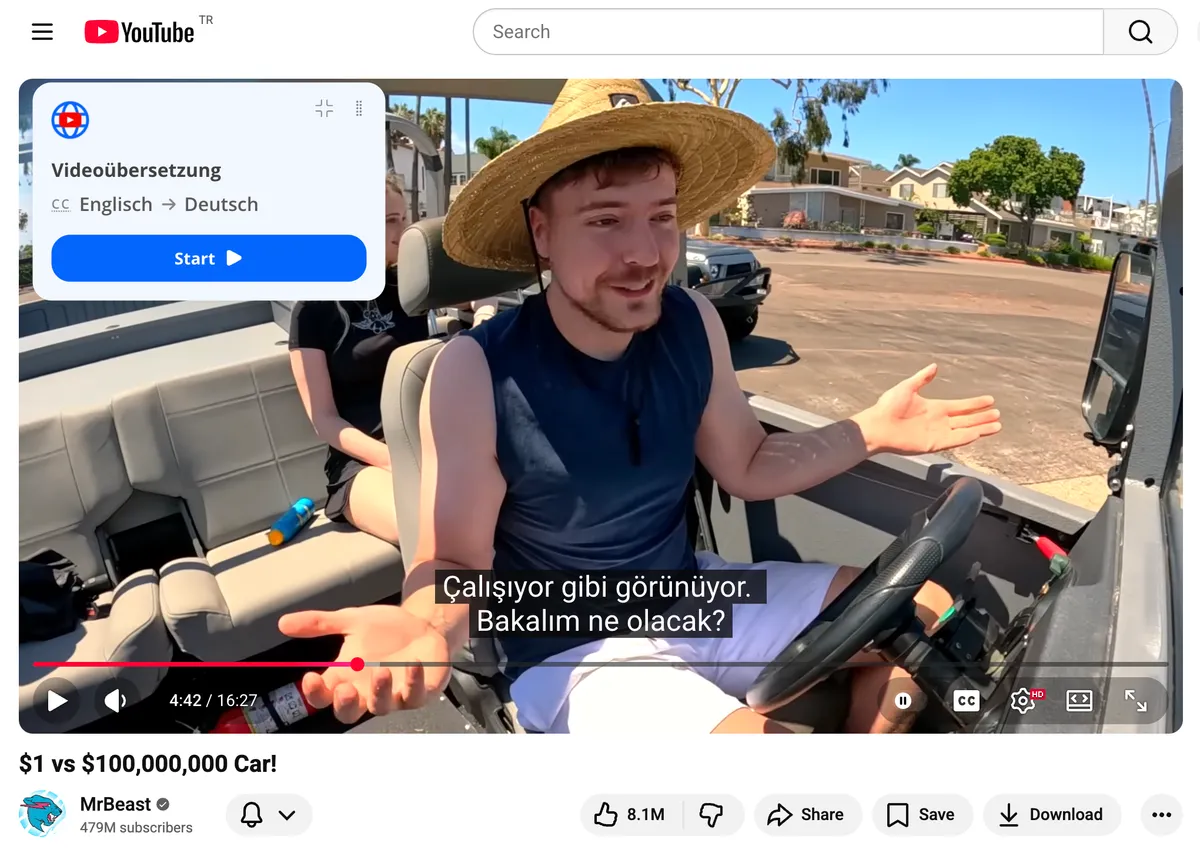
Try it now
Open the web player, add an MP4, MOV or WebM file, choose a language and press play. The AI dub starts within seconds, in sync with the picture. No install, no sign-up to try.
Upload a video to dub →MP4 · MOV · WebM · 33+ languages · free to try
Original (English)
“It listens to the audio, so it works even when there are no captions.”
AI dub (Russian, female voice)
«Он слушает аудио, так что это работает даже в отсутствии субтитров.»
20-second clip, free mode, no account: the dubbed track played in sync with the video and the original sound was turned down underneath.
How it works
Five steps, about a minute. Works in English and 33+ other languages.
The web player for video files; the Chrome extension or the Android app for YouTube.
Upload a file, or open any YouTube video — with or without subtitles.
English, Spanish, Hindi or any of 33+ languages.
Male or female voice; add translated subtitles if you like.
The video plays dubbed in your language. The original sound is one click away.
Step 1 of 5
Auto dub
TranslateTube is a video dubber with video auto-dubbing that works from the speech itself: it recognizes what is said, translates the meaning and speaks it with an AI voice, timed to the original. You do not need a caption file, a script or editing software.
What you get
Videos
TranslateTube: Your files (MP4, MOV, WebM), including movies, and YouTube videos
Good to know: Live streams are not supported yet
Languages
TranslateTube: 33+ languages for the dub and subtitles
Good to know: Pick a different language for every video
Voices
TranslateTube: Male or female AI voice
Good to know: Standard voices are free; natural voices come with Premium
Video length
TranslateTube: Free: up to 3 hours in the web player and Chrome, 2 hours in the Android app
Good to know: Premium: any length
Result
TranslateTube: You watch the dubbed video in the player
Good to know: No dubbed file to download or upload yet
Where
TranslateTube: Web player, Chrome extension, Android app
Good to know: One account and one Premium for all three
Facts as of October 2026.
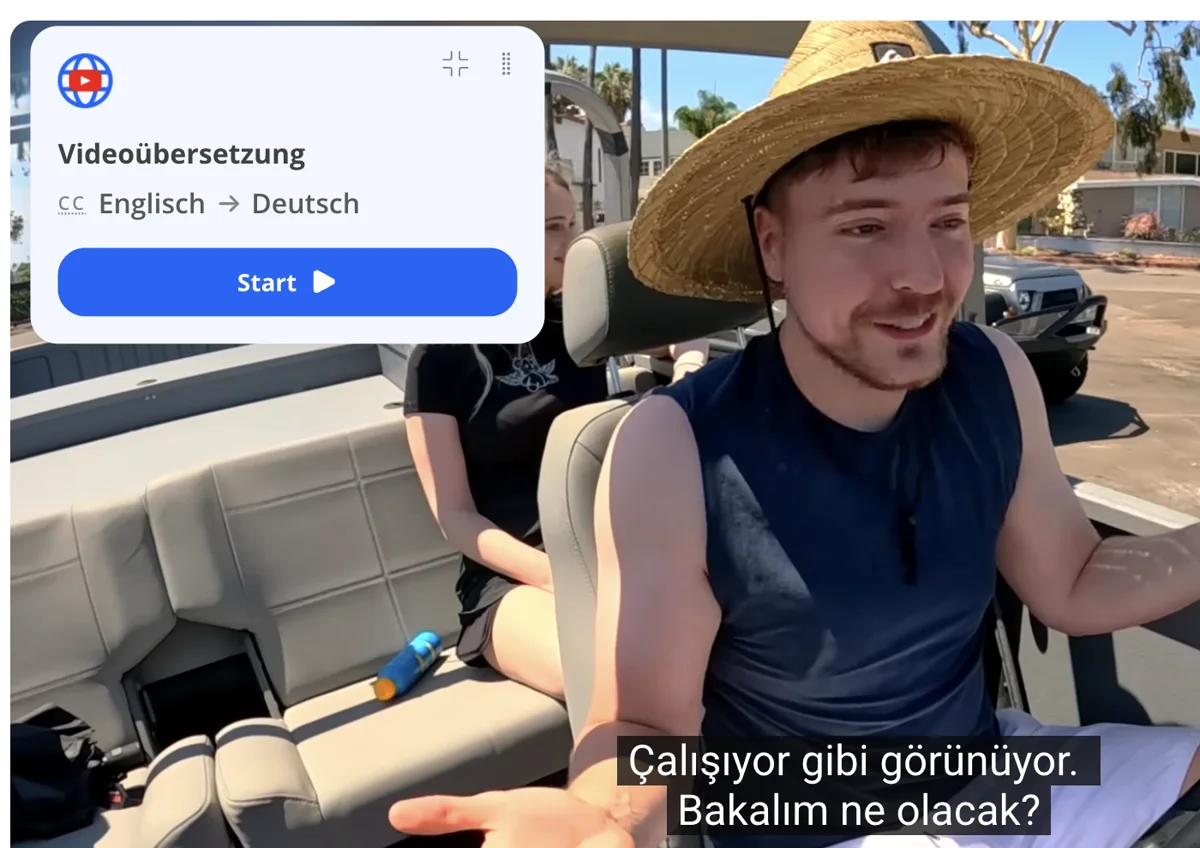
Your way
Listen to an AI voice-over, read translated subtitles, or turn both on at once. Switch back to the original sound in one click.
Male or female AI voice · Back to the original in 1 click
Android app
TranslateTube is also a dubbing application for Android: open a YouTube video in the app and hear it dubbed in your language, with the translated transcript scrolling along.
 iPhone — coming soon

Pricing
Start free. Premium adds natural voices, more accurate translation and videos of any length. One plan works everywhere.
No commitment, cancel anytime.
$6.99/ month
Best price per month, billed annually.
$49.99/ year
Save 40%≈ $4.17 / month
Pay once. No renewals, ever.
$149once
Premium forever — incl. the iPhone app at launch
Secure checkout · Cancel anytime · 20-day money-back guarantee
Reviews
243 ratings · 24,500+ people use the extension · as of October 2026
“Very helpful tool! I risked to try paid version for a month, and the difference is noticeable.”
AI dubbing recognizes the speech in a video, translates it and plays a synthesized voice in another language in sync with the picture. The original video is not changed.
Yes. Open the web player at translatetube.io/player, add an MP4, MOV or WebM file, choose a language and press play — it works in your browser, no sign-up needed to try.
Yes, if you have the movie file: open it in the web player and choose the language. Movies up to 3 hours are free; longer ones need Premium. You watch the dubbed movie in the player — there is no dubbed file to download yet.
Yes. TranslateTube’s free mode dubs videos up to 3 hours in the web player and Chrome, and up to 2 hours in the Android app, with a standard AI voice. Premium adds natural voices, more accurate translation and videos of any length.
Not yet. TranslateTube dubs videos while you watch them in the player; it does not export a dubbed audio track or video file.
Yes. The TranslateTube app for Android dubs YouTube videos on your phone — get it on Google Play (Android 7.0 and newer). The iPhone app is coming soon.
Yes — with the Chrome extension or the Android app. See YouTube dubbing for details.
No. You choose a male or female AI voice for the dub.
33+ languages, including English, Spanish, Portuguese, Hindi, Arabic, Turkish, German, French, Japanese and Korean.
Ready to try? Dub a video in the web player →
Want the details? How AI dubbing works →
Free to start. Takes about a minute.