Monthly
No commitment, cancel anytime.
$6.99/ month
- Natural AI voices
- More accurate translation
- Videos of any length
- One plan: extension, Android app & web player
 AI video translator · Chrome, Android & web
TranslateTube listens to the speech, translates the meaning and speaks it back in your language, in sync with the video. 33+ languages, works without captions. Standard AI voices are free in Chrome and on Android; natural voices come with Premium.
AI listens to the speech, translates it and speaks it in your language — standard voices free, natural voices in Premium.
One subscription — works in the extension and the app at once
Pay in either one and Premium unlocks in both. No second purchase.
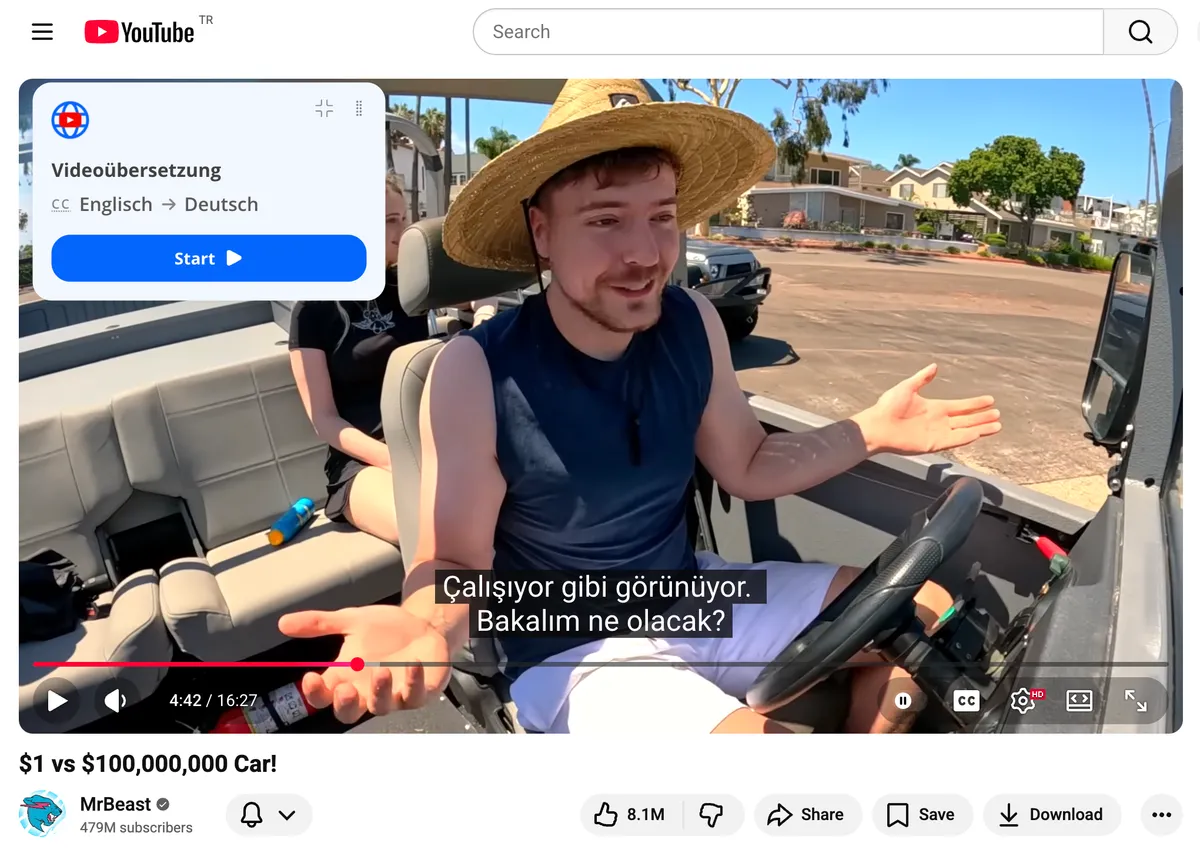
How it works
Five steps, about a minute. Works in English and 33+ other languages.
Add the Chrome extension on a computer, or get the Android app on your phone.
Any YouTube video — or your own file in the web player.
English or any of 33+ languages.
Male or female AI voice, translated subtitles, or both at once.
The translation starts within seconds and stays in sync with the video.
Step 1 of 5
How the AI works
An AI video translator does what a caption file cannot: it listens to the actual speech, translates the meaning rather than word by word, and speaks the result in a natural voice — timed to the original, with the original audio one click away.
Where it works
Web player (online)
What it translates: Your video files — MP4, MOV, WebM — with AI voice and subtitles, right in the browser
How to start: Open translatetube.io/player, no install
Chrome extension
What it translates: Any YouTube video on a computer
How to start: Add to Chrome, open a video
Android app
What it translates: YouTube videos on your phone, with a translated transcript
How to start: Google Play, Android 7.0 and newer
One account and one Premium plan work in all three.
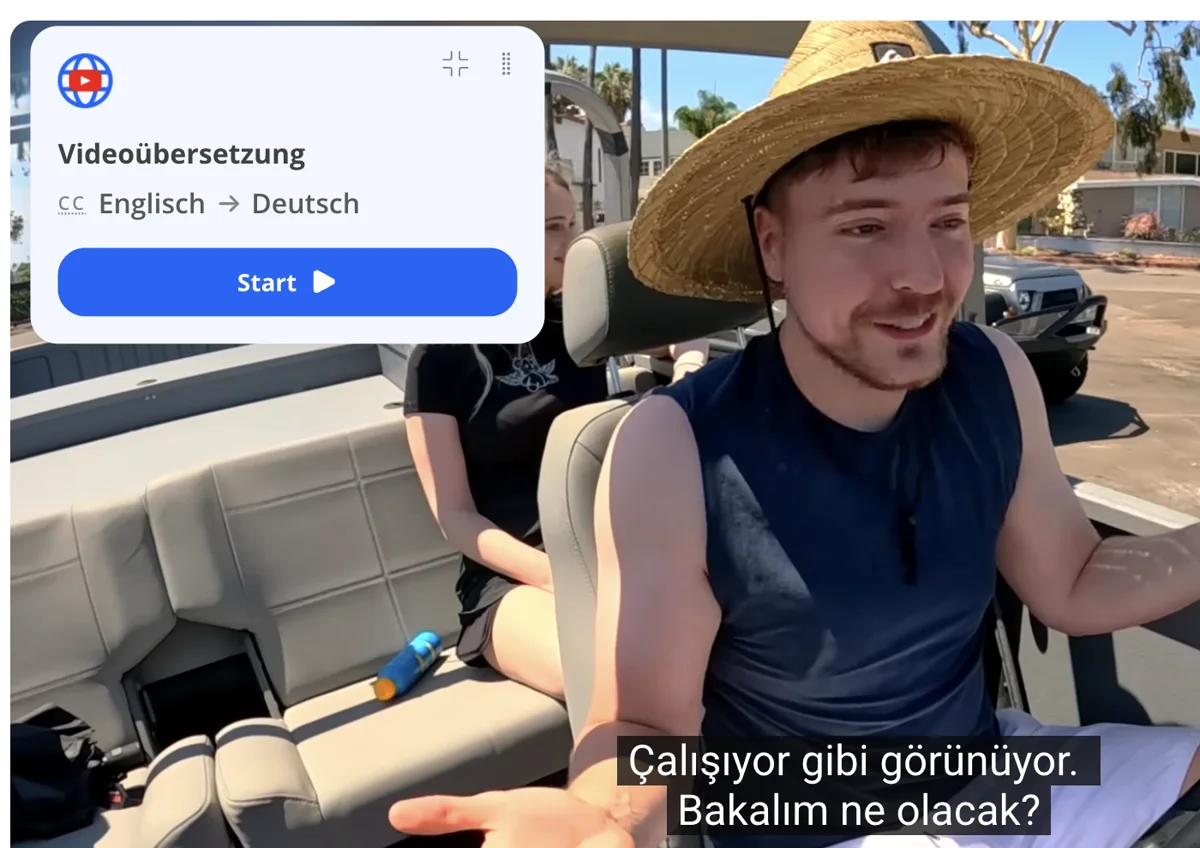
Your way
Listen to an AI voice-over, read translated subtitles, or turn both on at once. Switch back to the original sound in one click.
Male or female AI voice · Back to the original in 1 click
Lectures and courses, tutorials and product demos, interviews, podcasts and vlogs — choose your language and press play. For language learning, keep the original audio and read translated subtitles.
Need English specifically? translate a video to English →
Pricing
Start free. Premium adds natural voices, more accurate translation and videos of any length. One plan works everywhere.
No commitment, cancel anytime.
$6.99/ month
Best price per month, billed annually.
$49.99/ year
Save 40%≈ $4.17 / month
Pay once. No renewals, ever.
$149once
Premium forever — incl. the iPhone app at launch
Secure checkout · Cancel anytime · 20-day money-back guarantee
Reviews
243 ratings · 24,500+ people use the extension · as of October 2026
“Very helpful tool! I risked to try paid version for a month, and the difference is noticeable.”
Yes. TranslateTube’s free mode needs no card and has no limit on the number of videos: videos up to 3 hours in Chrome and up to 2 hours in the Android app, with a standard AI voice. Premium adds natural voices, more accurate translation and videos of any length.
Yes, for video files: open an MP4, MOV or WebM file in the web player at translatetube.io/player — it runs in your browser, no sign-up needed to start. For YouTube videos, use the Chrome extension or the Android app.
YouTube auto-translate only translates an existing caption track into text. An AI video translator recognizes the speech itself and can produce a spoken translation, so it works on videos with no captions.
Yes. TranslateTube recognizes the speech in the audio, so the video does not need captions of its own.
The free mode uses a clear standard voice. Premium adds higher-quality, more natural voices, male or female.
33+ languages for both the AI voice and the subtitles, including English, Spanish, Portuguese, Hindi, Arabic, Turkish, German, French, Japanese and Korean.
YouTube videos, with or without captions, in the Chrome extension and the Android app; your own video files (MP4, MOV, WebM) in the web player.
Not yet. TranslateTube works with recorded videos.
Have a video file instead of a YouTube link? Translate it in the web player →
Want the details? How AI video translation works →
Free to start. Takes about a minute.