 Chrome extension + Android app
 YouTube video translator with AI dubbing in your language
Translate any YouTube video — even without subtitles or CC — into a natural AI voice and accurate captions. In your browser on desktop and in the app on your phone.
One subscription — works in the extension and the app at once
Pay in either one and Premium unlocks in both. No second purchase.
Watch in your language with flexible audio and caption settings.
Change source and target languages in seconds without reloading.
Rounded, readable UI focused on speed and low visual noise.
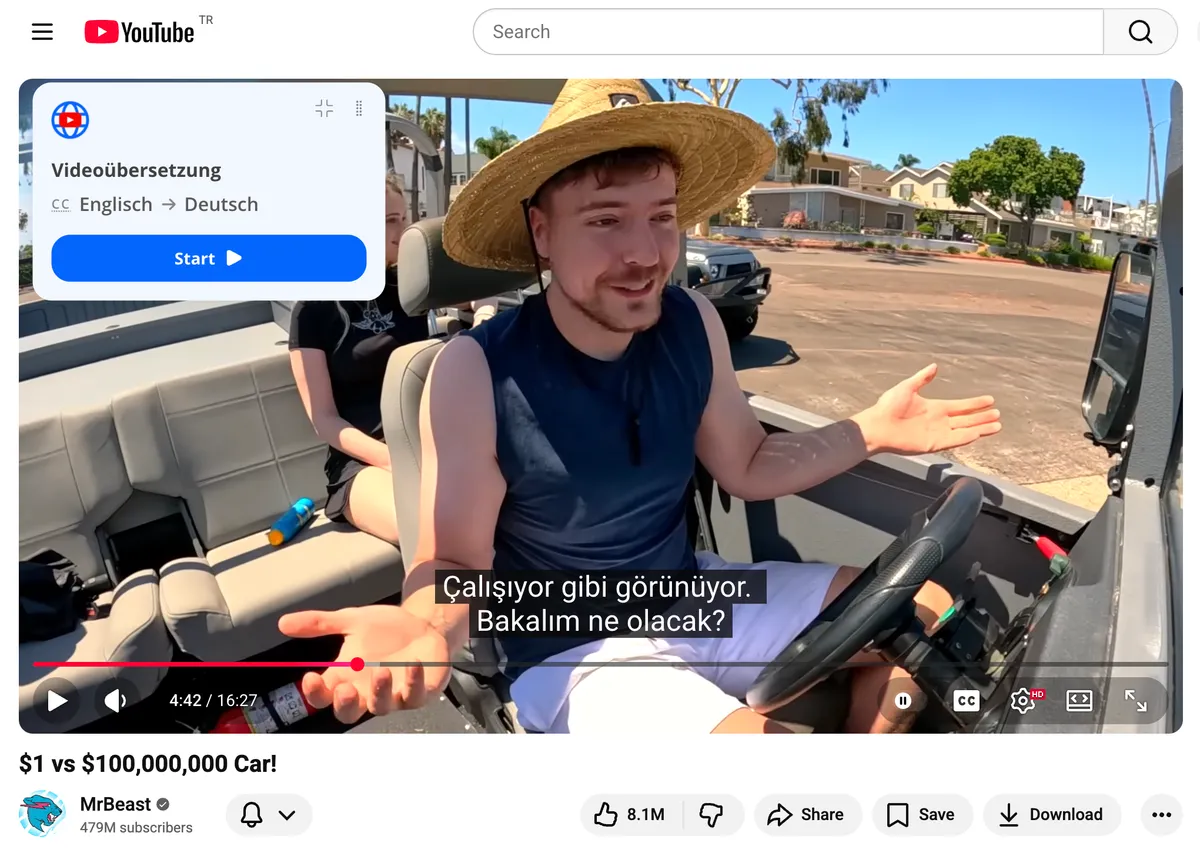
Features
Translate Any Video into 50+ Languages
TranslateTube keeps language settings, voice options, and subtitle behavior in one compact flow.
How to Translate a YouTube Video with Voice Dubbing
Add natural AI dubbing to any YouTube video in your language without leaving the player.
Long Video Translator for Lectures and Podcasts
Translate full YouTube videos 20 hours or longer in one pass. Ideal for academic lectures, podcast episodes, and documentaries.
Video Translation with Subtitles in One Click
Generate translated subtitles instantly and follow any video in the language you understand best.
Interface
Instant Transcript Generator & Subtitles from Any Video
The layout follows a predictable flow: pick language, tune voice, control subtitles, and continue watching.
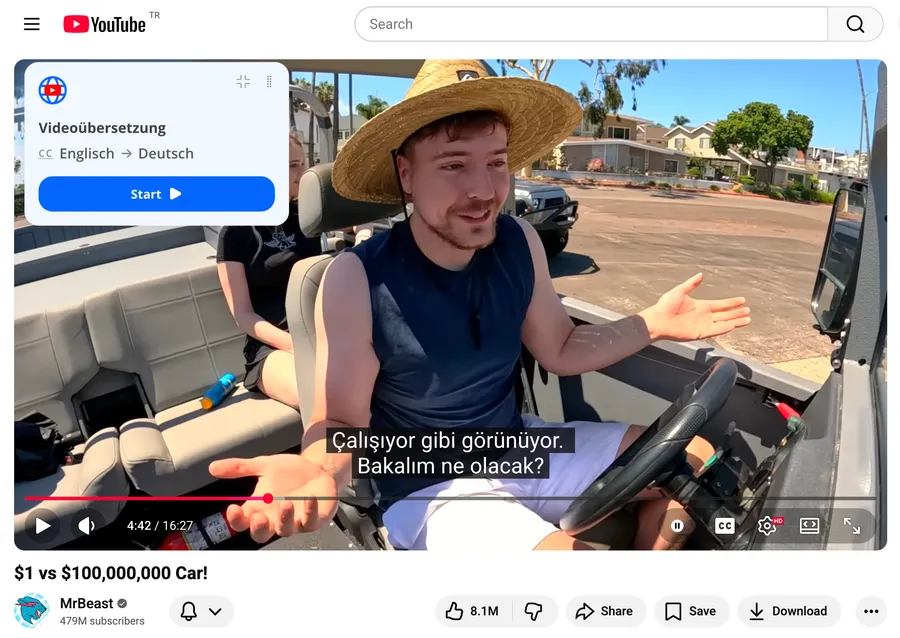
How to Get a Transcript of a YouTube Video Instantly
Capture the full transcript of any YouTube video with one click — no copy-paste, no manual editing.
Generate Subtitles and Transcripts in 50+ Languages
AI video transcriber turns spoken words into accurate subtitles and transcripts in dozens of languages.
Why TranslateTube
Why Choose TranslateTube – Voice, Subtitles, or Both
Focused controls, consistent translation behavior, and stable playback with your chosen settings.
Full Control: Dubbing Only, Subtitles Only, or Both at the Same Time
The only extension that lets you mix translated voice and subtitles exactly the way you watch.
Translate YouTube Videos Even If They Have No CC
AI recognizes speech directly from the audio, so videos without captions still get accurate translation.
Auto‑Translate YouTube Videos Without Any Manual Setup
Set your language once and every YouTube video opens already translated — no toggles each time.
How it works
How to Use the Video Translator Extension
Install once, set language preferences, and watch YouTube in your preferred language.
Step 1: Install TranslateTube from Chrome Web Store
Add TranslateTube from the Chrome Web Store and pin it in your toolbar.
Step 2: Open Any Video and Choose Your Language
Set source and target languages, then pick voice and subtitle behavior.
Step 3: Select Voice, Subtitles, or Both and Enjoy
Use quick toggles while watching and keep your preferred setup.
Pricing
Upgrade to Studio Voice
One simple plan. Start with a free trial, cancel anytime.
TranslateTube
Studio Voice Pro
Cancel anytime.
- Translate videos longer than 3 hours
- Studio Voice — natural AI narration
- Advanced AI translations
- Cancel anytime
Secure payment · Cancel anytime
Need the extension first? Open Chrome Web Store
Testimonials
Viewers appreciate the clean workflow
Early users highlight speed, readability, and easy language switching.
"Switched between English and Spanish during one tutorial without interruptions. Exactly what I needed."
Anna K., Content Creator
"Subtitle settings are straightforward, and the popup is clean. No clutter, only useful controls."
Max R., Product Designer
"Works smoothly for long lectures. I can tune voice and subtitles quickly and keep watching."
Elena L., Student
FAQ
Frequently Asked Questions About Our Video Translator
Quick answers about transcripts, live translation, and how TranslateTube works on YouTube.
Can I get voice dubbing and subtitles at the same time?
Yes. TranslateTube is the only extension that lets you choose between voice dubbing only, translated subtitles only, or both simultaneously. You control this from a simple panel below the video.
Does TranslateTube work with YouTube TV or live streams?
TranslateTube is optimized for on‑demand videos and currently does not support live broadcasts. However, you can use the extension to get instant translated subtitles and voice dubbing on any recorded video – even if it originally lacks captions. We are actively working on real‑time translation for live content, and you will be notified when it becomes available.
Can I translate a video that has no subtitles at all?
Yes. This is one of our main features. Even if the video has zero built‑in captions, TranslateTube uses AI to recognize speech, translate it, and generate both voice dubbing and subtitles. That is what makes it a translator for YouTube videos that don't have English subtitles: translating videos on YouTube works the same with or without CC.
How do I switch back to the original audio or turn off subtitles?
The TranslateTube panel includes a «Reset / Original» button. One click restores the original sound and removes translated subtitles.
Is the transcript generator free to use?
TranslateTube offers a free tier for transcript generation. For unlimited translation minutes and premium voices we have affordable plans. Exact limits are shown inside the extension.
Contact
Contact us about partnerships, support, or billing
Keep it simple. Send your request and we will get back to you with the right next step.
Direct email: help@translatetube.io
Support
Product questions and troubleshooting.
Billing
Subscription and payment requests.
Partnerships
Business and collaboration inquiries.
Request